BoogerSugar
Walk away from your Mac. Your stuff keeps running, and nobody gets in.
For when something has to keep running and you have to walk away: a long download, a build, a backup, a render. BoogerSugar keeps the Mac awake and locks the screen without putting it to sleep.
One job
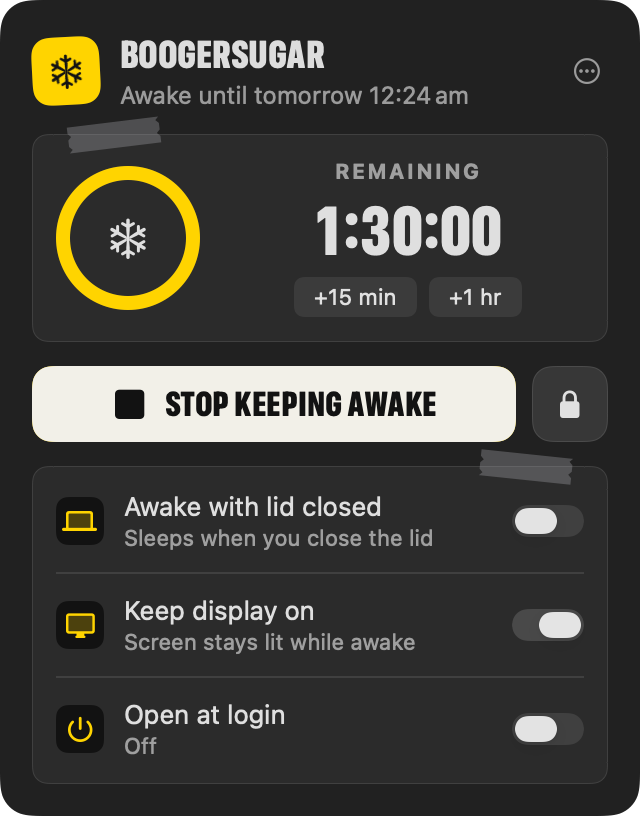
Stay awake, lid shut
Pick anything from 5 minutes to 8 hours, or no limit. Works with the lid closed, and +15 min or +1 hr stretches a running timer.
Lock without sleeping
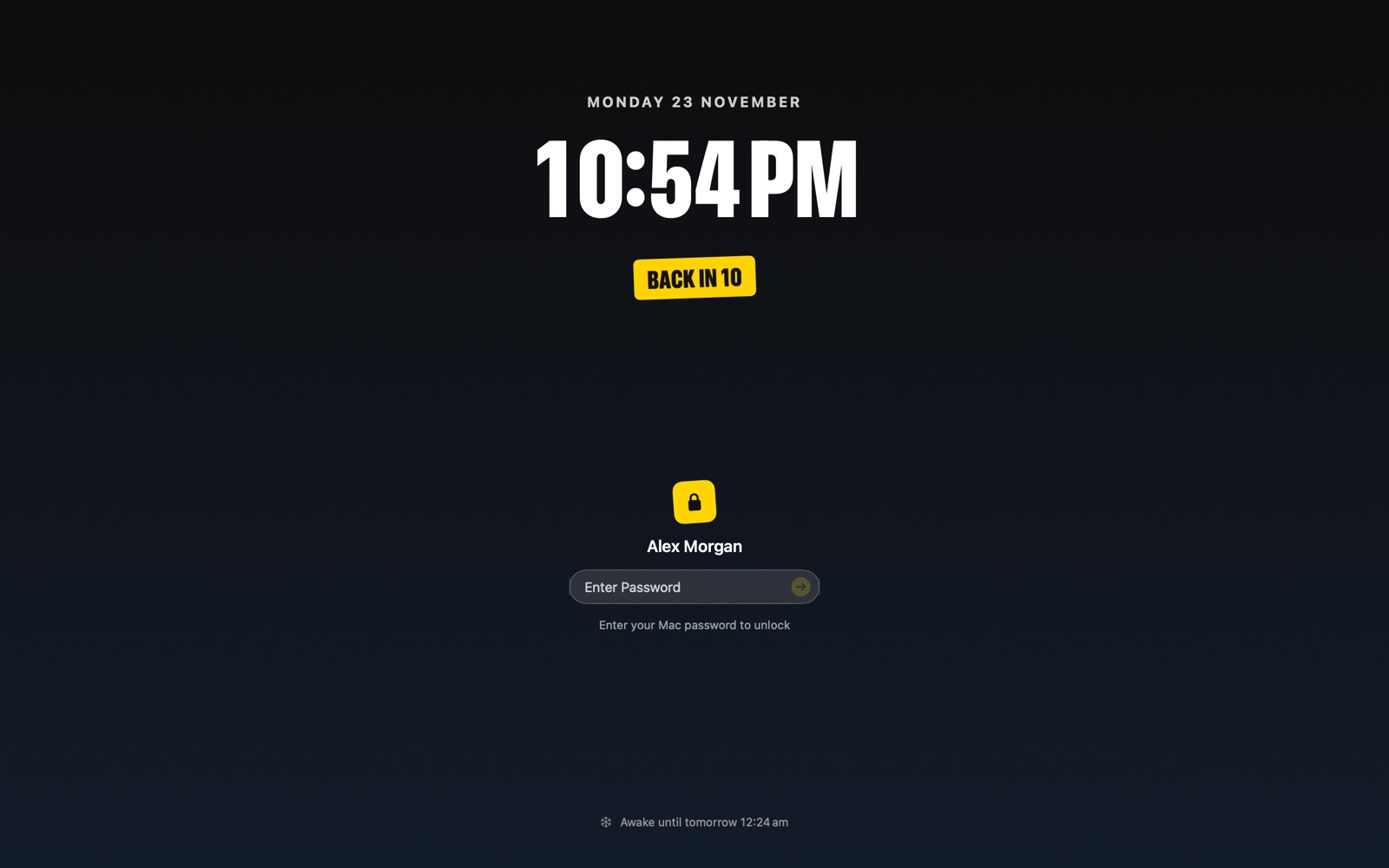
Covers every screen until you type your Mac password or use Touch ID. Downloads, builds and backups carry on underneath.
Safety cut-offs
Stops on low battery, when you unplug, or if your Mac gets hot, so it never cooks a laptop in a bag.
What's new
Version 1.0.0 23 November 2026
- Keeps your Mac awake for a set time or with no limit, even with the lid closed
- Lock screen that covers every display until you enter your Mac password or use Touch ID, while everything keeps running underneath
- Blocks Spotlight, Mission Control and other shortcuts while locked (needs Accessibility access)
- Locks automatically when you're idle during a keep-awake session
- Optional note on the lock screen, like "Back in 10"
- Keyboard shortcuts: ⌃⌥⌘L locks the screen, ⌃⌥⌘K starts or stops keep-awake
- Stops on low battery, when you unplug, or if your Mac gets hot
- New Ghetto Labs look, with a pulsing yellow menu bar snowflake
Good to know
- Price
- Free
- Needs
- macOS 14 Sonoma or later
- Runs on
- Apple Silicon and Intel
- Network
- Only to check for updates, and only once you say yes. Nothing about you is sent.
- Data
- Settings stay on your Mac. No accounts, no analytics.
- Shortcuts
- ⌃⌥⌘L locks the screen. ⌃⌥⌘K starts or stops keep-awake.
- Uninstall
- Quit it and drag it to the Bin. If you chose Skip prompts, also run sudo rm /etc/sudoers.d/boogersugar in Terminal.
Questions
macOS says it can't check BoogerSugar for malware.
Open System Settings, go to Privacy & Security, scroll down and click Open Anyway next to BoogerSugar. You only need to do this the first time.
Does it work with the lid closed?
Yes. Turn on Awake with lid closed in the panel. It changes a system sleep setting, so macOS asks for your password each time, unless you choose Skip prompts, which allows that one setting and nothing else.
Is the lock screen as safe as the real one?
It keeps people out of an unattended Mac, but it isn't the system lock. Holding the power button still restarts the Mac, so don't rely on it where someone could do that.
Why does it ask for Accessibility access?
So the lock screen can also block Spotlight, Mission Control, screenshots and other apps' shortcuts. Without it the lock still works, those shortcuts just aren't blocked.